A Dance Mat Typing alternative for KS2
Dance Mat Typing from BBC Bitesize has been the go-to typing game in many UK primary schools for years. Looking for an alternative for your Year 4, 5 or 6 class, for example one with progress per pupil or a diploma at the end? Here is what Dance Mat Typing does well, how Typcoon differs, and when Dance Mat Typing is still the better choice.
This comparison is made by Typcoon, and Typcoon is in it. We have tried to be fair: only facts we found in a source, with the source next to them, and we say when another program is the better fit. Is something out of date? Email contact@typcoon.com and we will fix it. Other programs' names are trademarks of their owners; Typcoon is not affiliated with them.
What Dance Mat Typing does well
- It is free, from the BBC, and made for 7 to 11 year olds.
- Four levels take children from the home row step by step through the keyboard.
- Teachers know it, and it is easy to put on the board for the whole class.
We could not check the current version on the BBC site itself, so look on BBC Bitesize for how it plays today.
How Typcoon differs
- Progress per pupil. With a school account the teacher makes a code per pupil and sees per child the letters learned, accuracy, speed and practice time. Pupils log in with the class code and their own code: no email address needed.
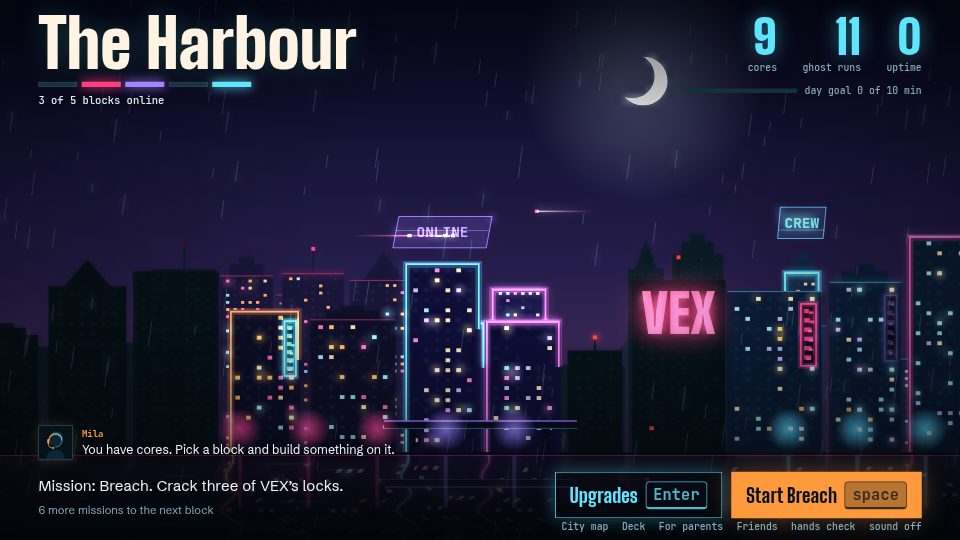
- A whole route, not one session. Six districts of a city: every district teaches something new, from the home row to capitals, punctuation and numbers, and ends with a test and a boss.
- A typing diploma at the end: at least 95% accuracy and 100 keys per minute, and the whole class's diplomas print in one go.
- Eight keyboard layouts and five languages, useful for pupils who also type in another language.
- The first 35 pupils of your school are free, with everything included; after that the school buys credits (see the table).
Dance Mat Typing and Typcoon side by side
| Program | Dance Mat Typing | Typcoon |
|---|---|---|
| Price for schools | Free source | The first 35 pupils of your school free; then €9.95 per credit, one credit per pupil code source |
| One-off or subscription | Free | Per pupil code, no subscription; a code stays valid until used, then for two school years |
| Age | 7 to 11 | 8 to 14 |
| Game or course | Game-style lessons in 4 levels | A game with a complete typing course inside |
| Certificate | – | Typing diploma: at least 95% accuracy and 100 keys per minute |
| Keyboards | – | 8 layouts: US and Dutch QWERTY, Belgian and French AZERTY, German and Swiss QWERTZ, Spanish and Latin American |
| Ads | – | No |
| Account needed | – | No; a parent email address is optional. Schools: a class code and a pupil code, no email |
| Chromebook | – | Yes, in the browser |
| Languages | English | English, Dutch, German, French, Spanish |
– = we could not check this in a source, so we leave it open. Prices as the provider listed them on 29 October 2026; offers change, so always check the provider's own site.
When Dance Mat Typing is the better fit
Want a free, quick introduction to the keyboard for the whole class, without codes or accounts? Then Dance Mat Typing is a sensible choice. Want pupils to practise in their own time, see where each child is, and finish with a diploma, then try Typcoon for your class.
More programs side by side: Best typing programs for kids compared. For schools: Typcoon for schools, or try the game yourself.
Sources
Every fact in the table comes from these pages, checked on .
- Dance Mat Typing: Hertfordshire Local Offer: typing programmes (PDF) · BBC Bitesize
- Typcoon: For parents · For schools · The typing diploma
Frequently asked questions
Is Typcoon free for schools?
For the first 35 pupils of your school, yes, with everything included: all overviews and the typing diploma. After that the school buys credits, one credit per pupil code. The details are on For schools.
Do pupils need an email address?
No. Pupils log in with the class code and their own personal code, which the teacher prints on login cards.
Does Typcoon work on our Chromebooks?
Yes. Typcoon runs in the browser, on any computer or laptop with a keyboard, including shared Chromebooks.
Try Typcoon with your class
In the school account you make a code for every pupil, print the login cards and see per child the letters learned, accuracy and speed. No email addresses needed.
Typcoon for schools