Typcoon for schools
Children learn to touch type by typing a city back on. With a school account you make codes for your class, see how each pupil is doing and print the diplomas. The first 35 pupils play for free.
How it works
- Register your school at typcoon.com/schoolaccount. You sign in with your email address and a code by email, no password.
- Create a class and codes. Paste your pupils' first names, or choose a number; then they get a number.
- Print the login cards, ten per A4 sheet, and hand them out.
- Children go to typcoon.com/school type the class code and then their own code. Typing it is the first exercise.
What the teacher sees
- Per child: how many letters they already type by touch, how accurately they type this week, their speed and their minutes of practice.
- Notes with a tip: a child who has not played for a week, types below 85% accuracy, has not had a new letter for two weeks, or passed the typing diploma.
- The hardest letters for the class, so you know where a short instruction helps.
- Diplomas and certificates for the whole class printed in one go, with the names on them. Exporting to Excel works too.
- Colleagues: a teacher only sees their own classes; the admin sees the whole school.
Shared Chromebooks
Children type their code: no QR code and no password. At the end they click Done for today: the city is saved and the child signs out. After that nothing of the child remains on the device. If a child forgets, the game signs out by itself after 20 minutes without activity. The same code works at home.
Privacy (GDPR)
The school chooses a first name or a number for each child. We do not need children's surnames, email addresses or dates of birth. No ads, no third-party tracking. The servers are in Europe. The school is the controller and Typcoon the processor; the agreements are on the privacy page of the school account.
What it costs
- The first 35 pupils of your school are free, always, with the full version for every pupil and all overviews.
- After that you buy codes: €9.95 per pupil, €7.50 per code from 100 codes in one purchase. From 10 codes; one code per new pupil, until the typing diploma.
- Codes are valid for 2 years from purchase. Unused codes are not refunded.
- Pay now (iDEAL, credit card) or by invoice; you get the invoice straight away. No subscription, no fixed costs. Prices include VAT.
Your first class works straight away. For more classes we quickly check that your school is real, within one working day; a school email address makes it quicker.
Questions? Email contact@typcoon.com.
Frequently asked questions
Is Typcoon free for schools?
For the first 35 pupils, yes: always free, with the full version and the teacher overview. After that you buy codes: €9.95 per pupil, €7.50 per code from 100 codes in one purchase. Codes are valid for 2 years.
Do pupils need an account?
No. Every child gets a code on a login card and types it at typcoon.com/school. No email address, no password.
Does it work on Chromebooks?
Yes. Typcoon runs in the browser on any Chromebook, laptop or computer with a real keyboard. On a shared Chromebook nothing of the child remains after signing out.
How much should pupils practise?
Guideline: three times a week for fifteen minutes. The game has a daily goal of 10 minutes and puts accuracy before speed.
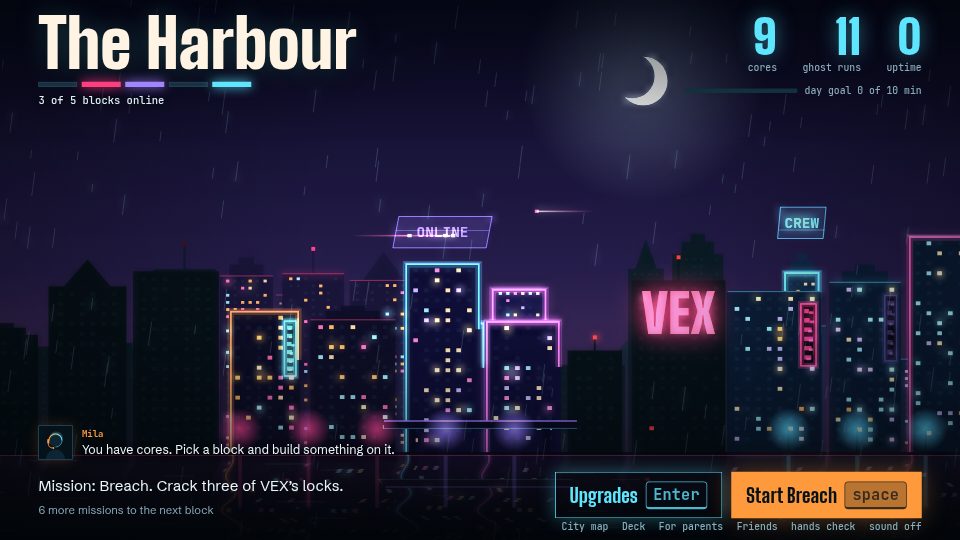
Learn to type while you switch a city back on
In Typcoon: Nightcode, every command your child types switches a piece of a blacked-out city back on. Typing neatly earns the most, so your child learns to touch type without even noticing. Free to try, no account needed.
▶ Play free