Nitro Type Alternative: A Typing Game That Teaches From Zero
If you are looking for a Nitro Type alternative, you probably want one of two things: something just as fun that actually teaches typing from scratch, or simply another place to race. Nitro Type is a great, fast typing game, but it is built for kids who can already find the keys, not to teach them how. Here is an honest way to choose.
What Nitro Type is
Nitro Type is a free online typing game where you race other players: the faster and more accurately you type, the faster your car goes. Races earn virtual cash for new cars and your own garage, and you can join a team that competes on the leaderboards. Racing is free; an optional paid Gold membership removes the ads.
It is one of the best-known typing games around, and for good reason: the racing is genuinely fun, and team competition gives kids a real push to keep practicing.
What Nitro Type assumes
Nitro Type is built for racing, not for learning to type from zero. It doesn't explain finger placement, doesn't point out the home row and doesn't introduce letters one at a time: you get a text and a clock. That is perfect for a kid who already knows where the letters are. It works less well for a kid who still hunts for keys with two fingers: the clock keeps ticking whichever fingers they use, so the hunting habit mostly gets faster, and it has to be unlearned later.
Check first: can your kid already type?
- Can they find the home row without looking? A-S-D-F and J-K-L-;, by feel?
- Do they use all ten fingers? Or mostly two index fingers?
- Do they look at the screen, not the keys?
Three times yes? Then your kid is ready for Nitro Type. Not there yet? Start with the basics.
Not there yet? Start with the basics
Typcoon starts at the other end: a free typing game that teaches touch typing from zero. An adaptive learning engine introduces letters one at a time, only once the previous ones are solid, and rewards accuracy rather than speed. Every command your kid types switches a piece of their city back on, and typing neatly earns the most. The home row and the first district, the Harbour, are completely free, with no time limit and no account. For more options, see the best free typing games for kids.
Already typing and after speed? Nitro Type is a good pick
If your kid already touch types and mostly wants to get faster and have fun racing others, Nitro Type is simply a good choice: that is exactly what it is strong at. Two things to keep an eye on: the free version shows ads, and the clock mostly rewards speed. If you notice accuracy slipping because your kid wants to race faster, that is a good moment to slow down together and focus on neat typing again.
Or use both
The two don't compete. Plenty of families start with Typcoon to build solid technique, then let their kid loose on Nitro Type to race and build speed. It works the other way around too: if finger placement stays messy while racing, a few weeks back on the basics never hurts. For the bigger picture, read the complete guide to typing for kids.
Frequently asked questions
Can a kid learn to type from zero with Nitro Type?
Not really. Nitro Type doesn't explain finger placement or introduce letters step by step. It is excellent practice once a kid knows the home row and the basics.
Is Nitro Type free?
Yes, racing is free. An optional paid Gold membership removes the ads, but you don't need it to play.
What is the difference between Typcoon and Nitro Type?
Typcoon teaches touch typing from zero with an adaptive learning engine; Nitro Type is racing practice for kids who can already type. They work well together: technique first, then racing.
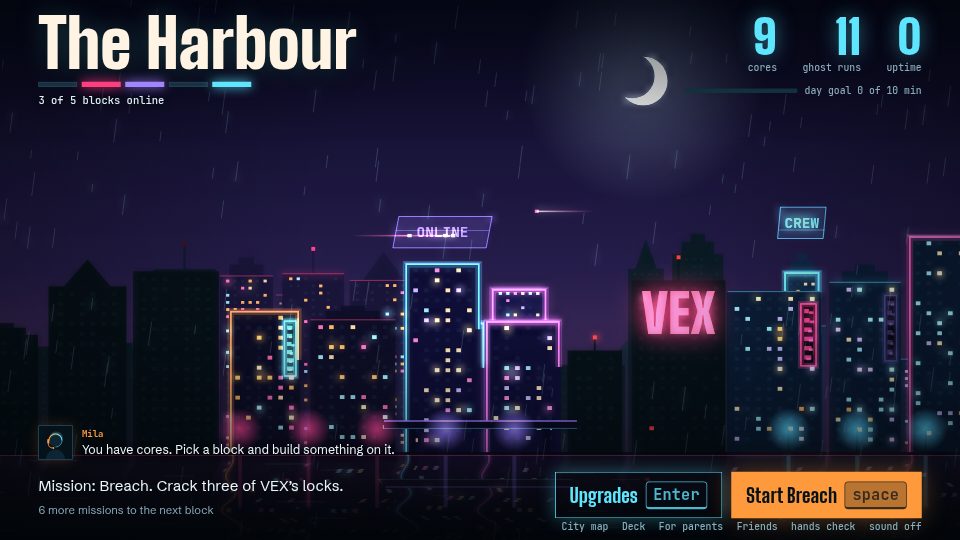
Learn to type while you switch a city back on
In Typcoon: Nightcode, every command your child types switches a piece of a blacked-out city back on. Typing neatly earns the most, so your child learns to touch type without even noticing. Free to try, no account needed.
▶ Play free