Free Typing Lessons for Kids: What a Complete Course Looks Like
Yes, free typing lessons for kids can work well, as long as they follow a clear path: home row first, accuracy before speed, short daily sessions, visible progress and no ads. Here is how to check any free course, and what to do today.
Can a kid really learn to type with free lessons?
Yes. Learning to type does not depend on spending money. It depends on practicing the right keys, with the right fingers, a little every day.
The catch is that free typing lessons for kids vary a lot. Some are a carefully ordered course. Some are a pile of random word games with no plan behind them. Your job as a parent is mostly to tell the two apart in the first five minutes.
If you want the bigger picture first, our complete guide to typing for kids covers the whole journey from first keys to confident touch typing.
What a complete free typing course should include
Whether a course is free or not, a good one has the same backbone. Use this as a checklist:
- It starts at the home row. On a US QWERTY keyboard that means A S D F for the left hand and J K L ; for the right. Everything else is built outward from there.
- New letters arrive slowly. A few letters at a time, and only once the earlier ones feel solid. A course that throws the whole alphabet at a beginner on day one will frustrate most kids.
- Accuracy comes before speed. Speed grows by itself once the fingers know where to go. Rushing early builds sloppy habits that are hard to undo.
- Lessons are short. Ten to fifteen minutes suits most kids in elementary school and fits a busy evening.
- Hard letters come back. Good practice repeats the keys your child still misses instead of moving on and hoping.
- Progress is visible. You and your child should be able to see what is solid and what still needs work.
- Finger guidance is clear. The child should know which finger belongs to which key. Our article on typing finger placement shows the map.
What to watch for in free typing lessons online
Free is fine. Free with strings attached deserves a closer look. Before your child starts, check these things.
Ads next to the keyboard
Ads pull a child's eyes away from the screen and sometimes lead to places you did not choose. For a skill that depends on focus, they are more than an annoyance. Pick lessons with no ads at all.
Forced sign-ups
Ask yourself why an account is required to type a few letters. Playing should work without one. An optional account for saving progress is reasonable; a mandatory one for a first lesson is not.
No order, only races
Games that rank kids by words per minute reward speed from day one. A beginner then learns to hunt and peck faster instead of learning to touch type. Look for structure, not just competition.
Pressure and pop-ups
Countdown timers, constant prompts to upgrade, or a child who can click something to buy: all reasons to step back. A child should never be able to purchase anything on their own.
Free versus paid: an honest way to think about it
A free beginning is often all you need to find out whether your child likes the approach. The home row and the first few letters teach the core idea: eyes on the screen, each finger in its place.
The full alphabet, capital letters, punctuation and numbers are often where free offers end and a paid part begins. That is a fair place to pause and decide. Ask whether the free part gave your child a real start, and whether anything beyond it is a clear, one-time choice rather than a subscription you have to keep track of.
There is no rush. Your child can spend as long as needed on the early keys, and you can look at the rest later.
A free 10-minute plan you can start today
You do not need special software to begin. You need a laptop or computer with a real keyboard and a quiet ten minutes.
- Set the hands. Left fingers on A S D F, right fingers on J K L ;. Thumbs rest on the space bar. On most keyboards you can feel small bumps on F and J.
- Warm up for two minutes. Press each home row key slowly, saying the letter out loud. Return to the starting position after every key.
- Practice for six minutes. Type short combinations like fff jjj ddd kkk, then simple home row words. Eyes stay on the screen.
- Check accuracy, not speed. Aim for about 90% correct or better before adding new letters. If it dips, stay put for another day.
- Finish with a win. End on something your child got right, then stop. Short and happy beats long and tired.
Do this on most days and keep it small. For a longer walkthrough, see how to teach touch typing at home, and for daily length, how long kids should practice typing each day.
What Typcoon offers for free
Typcoon: Nightcode is a typing game for kids aged about 7 to 12, played in the browser on a laptop or computer with a real keyboard. In the story, an AI has switched off a whole city, and every command your child types switches a piece of it back on. Typing neatly earns the most.
The home row and the whole first district, the Harbour, are free. There is no time limit, no account and no ads. Letters are introduced one at a time, only when the previous ones are solid, and the ones your child finds hard come back more often. The next key lights up in the color of the finger that should press it, so your child's eyes stay on the screen.
The rest, meaning the full alphabet with capitals, punctuation and numbers, the other five districts and the typing diploma, is a single one-time family unlock. There is no subscription and no ads, and a child can never buy anything alone. You can try the free part in your browser and judge for yourself.
How to tell the lessons are working
After a week or two, look for small signs. Your child finds the home row without looking down. Mistakes drop on the keys you have practiced. Sessions feel routine rather than like a fight.
In Typcoon, the game says today's practice is done after 10 minutes, though your child may keep playing if they want. A daily streak gives a gentle reason to come back tomorrow. If you create an optional parent account, you can also see minutes practiced per day and which letters are solid.
If your child struggles a lot, tires quickly or gets frustrated with reading or writing, talk to the teacher or school. If they mention hand pain, check with a doctor. Typing practice should never hurt.
Wondering how long the whole process takes? Our guide on how long a kid needs to learn to type sets realistic expectations.
Frequently asked questions
Are there really free typing lessons for kids that teach the whole keyboard?
Some free options cover only the home row and a few more letters, while a complete path with capitals, punctuation and numbers may need more. Check what is free and what is not before your child gets invested, and judge whether the free part gives a solid start.
Is a free typing course safe for my child?
Look for no ads, no third-party tracking and no way for a child to buy anything alone. Playing should work without an account. Sit nearby for the first sessions so you can see what your child sees.
How long should my child practice each day?
Ten to fifteen minutes on most days is plenty for kids aged about 7 to 12. Short, regular sessions work better than one long weekend marathon. Stop while it still feels easy.
Does my child need an account to start?
Not necessarily. Typcoon works without one, so your child can play the home row and the first district right away. A parent account is optional and saves progress, and it shows minutes practiced and which letters are solid.
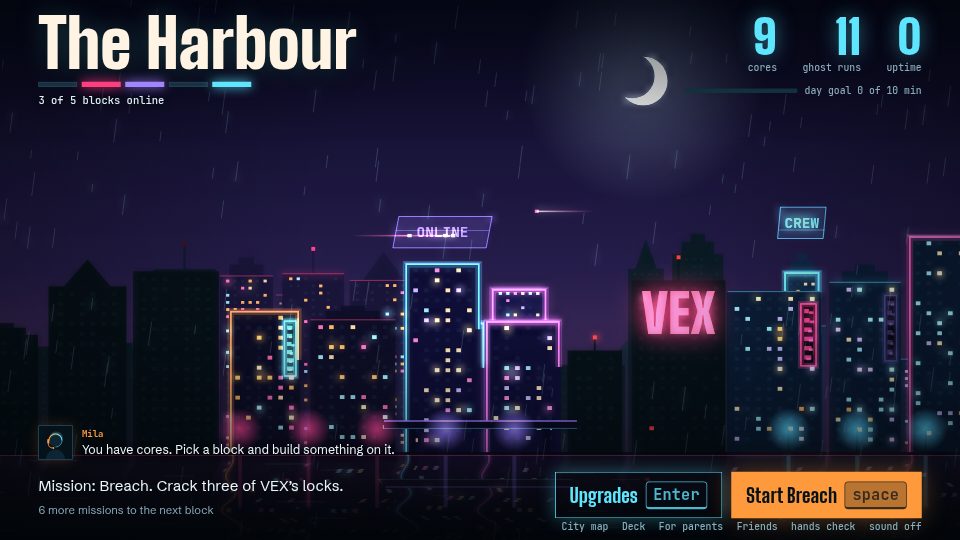
Learn to type while you switch a city back on
In Typcoon: Nightcode, every command your child types switches a piece of a blacked-out city back on. Typing neatly earns the most, so your child learns to touch type without even noticing. Free to try, no account needed.
▶ Play free